
Why COD Mobile Hit You With Error 15035 Right After the Update, Even Though You Never Cheated

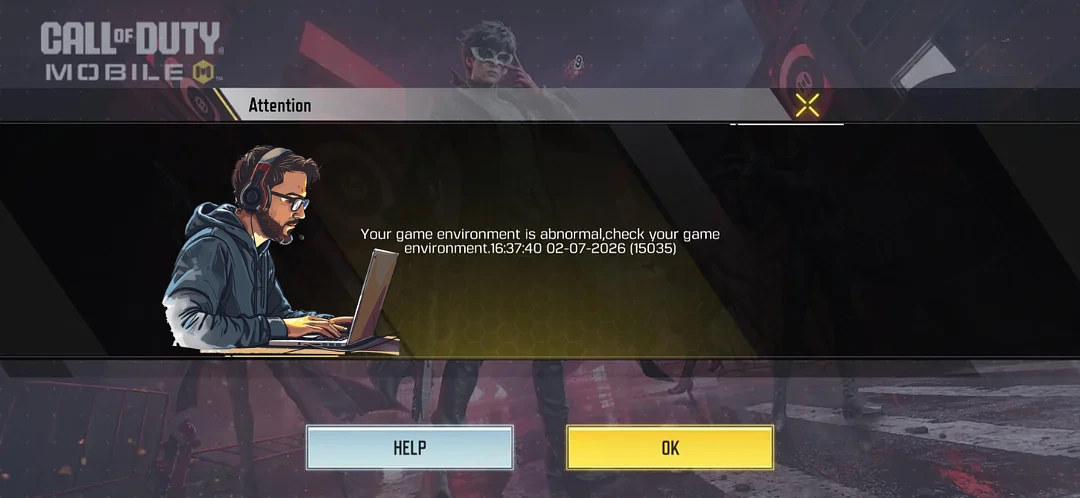
You finished an update, dropped into your first match, and got yanked out with “Your game environment is abnormal, check your game environment. (15035).” No warning and no cheats, just a clean account on a Samsung S25 Ultra that was fine yesterday. Frustrating doesn’t cover it. The reassuring part is that this specific error is almost never an accusation that you hacked. It’s the anti-cheat misreading something on your phone, and on a clean device it’s usually a false positive you can clear yourself.
Error 15035 Is An Anti-Cheat Flag, Not A Connection Bug
The wording matters. “Game environment is abnormal” means COD Mobile’s anti-cheat scanned your device as you loaded in and found something it doesn’t trust. This is not a server hiccup or a bad patch, and reconnecting won’t shake it. The most common reason players see this message at all is launching the hypackel games through a PC emulator like GameLoop, which the anti-cheat refuses to allow. Since you’re on an actual phone, that’s ruled out, and that’s the clue that what you’ve got is a false positive rather than a real violation.
Why A Clean Account Gets Flagged The Moment An Update Lands
Every big update ships a tighter version of the anti-cheat. When you load your first match afterward, it rescans your whole environment from scratch and sometimes flags an app or setting it quietly tolerated before. Running anything other than a fully updated, clean install is a known way to land on 15035. That’s how a two-month-old account with zero cheats trips it out of nowhere on the first game post-update. Nothing you did changed. The thing checking you did.
What’s Most Likely Tripping It On A Samsung Phone
On a clean S25 Ultra, the usual suspects are background tools that hook into the game or draw over the screen:
- Samsung Game Booster / Game Launcher and its in-game overlay, which the anti-cheat can read as an outside process touching the game.
- Floating or overlay apps like screen recorders, chat heads, FPS counters, or GFX tools sitting on top of the game.
- A cloned or second instance of the game running through Secure Folder, Dual Messenger, or an app-cloning tool.
- A VPN rerouting your connection, which can read as a suspicious environment.
Any single one of these can be enough. The fix is to strip them out and load in clean.
Clear The Soft Ban Step By Step
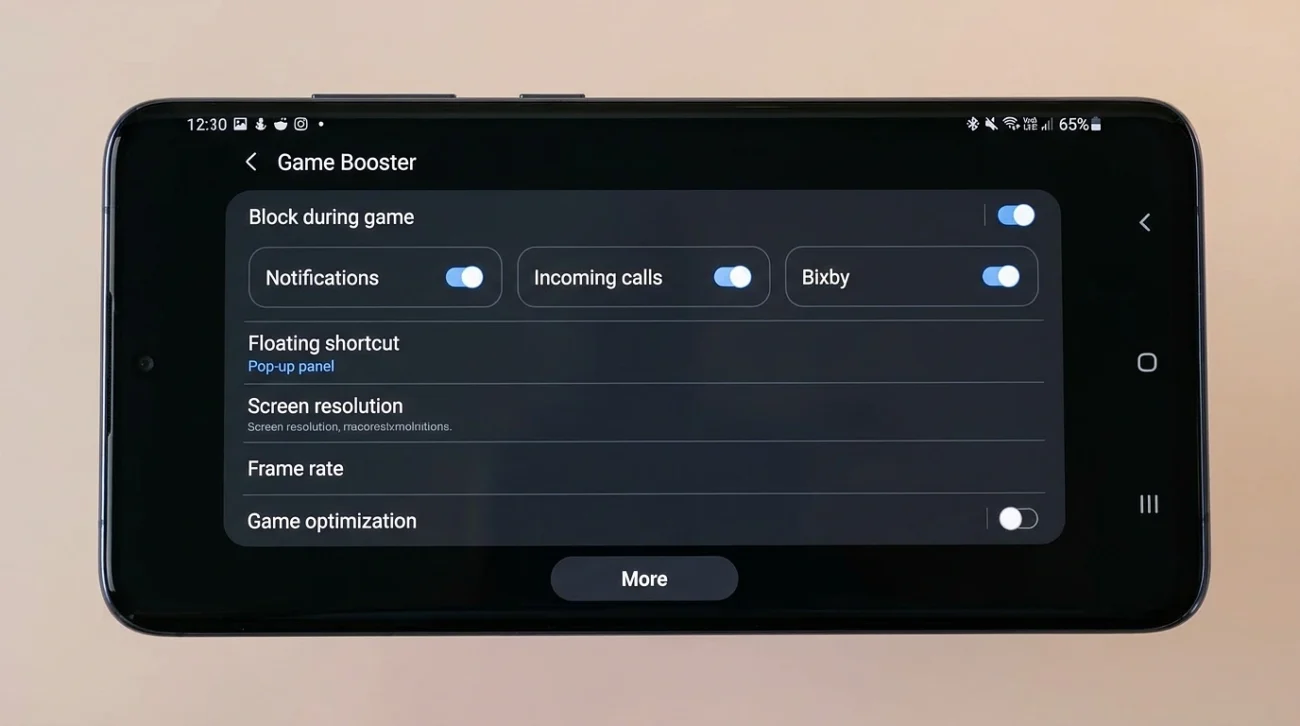
- Open Settings > Advanced features > Game Launcher (or Game Booster) and turn off its overlays and any floating-button or auto-block-during-games features. Better still, remove COD Mobile from Game Launcher entirely while you test.
- Go to Settings > Apps > Special access > Appear on top (also called “Display over other apps”) and switch off anything you don’t actually need during play, especially recorders, GFX tools, and chat-head apps.
- If you ever launched COD Mobile through Secure Folder, Dual Messenger, or an app cloner, delete that second copy and keep one official install only.
- Turn off any VPN and connect on your normal Wi-Fi or mobile data.
- Confirm the update fully finished. Check the Play Store for a pending COD Mobile update and let any leftover in-game resource download complete.
- Clear the game’s cache from Settings > Apps > Call of Duty: Mobile > Storage > Clear cache. Clear the cache, not the data, so you don’t wipe your login.
- Reboot the phone, open the official app, and wait the soft ban out instead of forcing your way back in. These environment bans are temporary and lift on their own once the trigger is gone.
If It Keeps Coming Back After That
Tap the HELP button right there on the error screen and file a report through the official in-game support. Keep it plain: real device, official app, no emulator, no third-party tools, flagged right after the update. Be ready for a generic “we couldn’t find a problem” reply, since that’s the standard response players get, which is why the environment cleanup above is what actually gets most clean players back in.
Is Your Account Gone? No.
A 15035 environment flag is a soft, temporary ban, not a permanent account wipe. It only repeats each match because the trigger is still sitting on the device. Pull that trigger out, reboot, give it time, and a clean account like yours goes right back to normal.