
Top Free & Paid VPNs for Low Ping & Stable Gaming


Key Takeaways
- VPNs Stabilize, They Don’t Accelerate: While a VPN won’t boost your download speed, it will straighten out erratic ping spikes and create a steady, smooth connection.
- ISPs take the cheap route: ISPs, of course, take your data through the cheapest possible hubs, so it takes you longer and farther. VPNs provide a more direct “digital highway.”
- The Free VPN Trap: Free VPNs have either extremely low data caps (Windscribe has one at only 10 gigabytes) or restricted countries (ProtonVPN’s free version) or slow speeds.
- Free VPNs have “Yellow Ping”: Free VPNs force non-paying users to stay within limited servers and serve to bring the latency (80-90ms) down.
- Just like RPG classes, premium VPNs have their own set of tools; ExpressVPN for reliability, ProtonVPN for NAT types, NordVPN for raw speed and Surfshark for budget efficiency.
- If you use a VPN with port forwarding, you can avoid the “Strict NAT” problem and get matchmaking times to drop considerably when playing online multiplayer games.
Why a VPN Even Helps in the First Place
Here is a piece of information that nobody pays attention to or explains correctly. A VPN will NOT speed your internet connection. The very encryption wrapper it attaches to your data slows you down a bit. Does it sound like the worst exchange in the world of gaming?
The path that the ISP takes your data does not have to be the one that gets your packets to the game server the quickest, it has to be the cheapest! Your data thus passes through 3 or 4 unnecessary hubs only to reach the match. That detour? It’s in the very place you’re experiencing your ping spikes. A good VPN eliminates all that clutter and provides you with a fairly direct shot imagine a private express lane while everyone else is stuck in the sluggish stream of traffic in city center during rush hour.
The Free VPN Reality Check
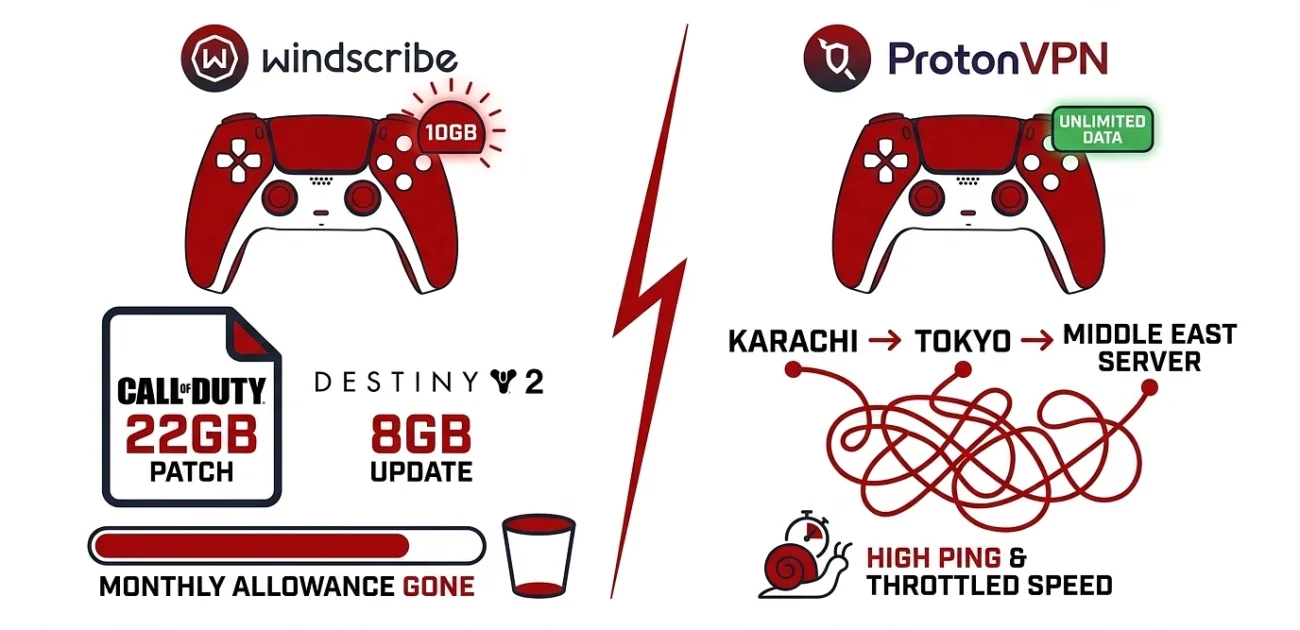
Let’s just rip the bandage off most free VPNs are a trap for gamers. Not because the companies running them are evil (some genuinely aren’t), but because the math just doesn’t add up.
Windscribe:
You get 10GB of data per month on the free tier. Sounds generous until you remember Call of Duty dropped a 22GB patch last Tuesday and Destiny 2 piled another 8GB on top by Thursday. One update cycle and your monthly allowance has evaporated before you’ve even hit the lobby.
ProtonVPN:
In what seems like a blessing and a curse, the data caps with Proton’s free tier aren’t capped. You are restricted to three server locations, United States, Netherlands, Japan and speeds are throttled to maintain your happiness as a paying user! The sites are more important than you think. So if you are in Karachi, and you are trying to go through Tokyo to get to a Middle Eastern server, congratulations, you’ve added more hops when you could have avoided those.
The Crowded Doorway Problem
This is the one that no one tells you about. Free VPN providers can only operate the number of servers they have and they have to give each and every non-paying user a role in the identical few servers. You may be able to free-ride on the freemium service in your area, but you’re not the only one. When you had the opportunity to sit in the green, but it sat in that ugly yellow zone of 80 to 90ms, that’s when you knew it was a Friday night metro.
Free works for casual stuff. For ranked play or anything where your KD actually matters to you, you’re paying with frustration instead of money.
Paid VPNs Worth Your Subscription
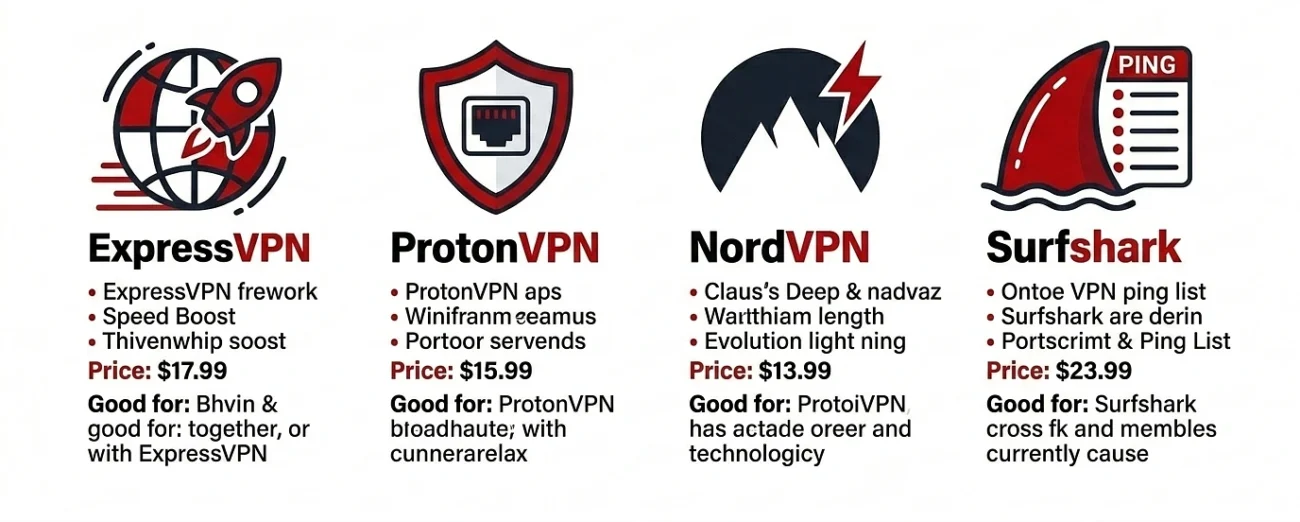
The paid lineup isn’t a one-size-fits-all situation either. Think of them like RPG classes each one builds toward a slightly different playstyle.
ExpressVPN:
If you just want something that works and you don’t care to think about it, this is the one for you. They’re fast and offer a consistent speed no matter which region you’re in and their massive server network. Not the highest score on the chart, but the most consistent over extended periods of time. The annual plan costs a little more than your competitors do ($6.67/month), but you’ll never have to worry about the connection again due to losing a fight.
Good for: Daily drivers who hate troubleshooting more than they hate losing.
ProtonVPN:
The free tier’s headaches don’t carry over to the paid plan, and Proton’s killer feature for gamers is port forwarding. If you’ve been stuck on a Strict NAT type that thing where you can’t join your friends’ parties, matchmaking takes forever, or voice chat just flatly refuses to cooperate Proton fixes it by switching you to a Moderate NAT.
- Picture Strict NAT as an overly aggressive bouncer turning your friends away at the club door. Port forwarding slides them the VIP list.
- Plans start around $4.99/month on the longer subscriptions. Worth every cent specifically for console players living in matchmaking hell.
NordVPN:
Nord built their own protocol called NordLynx, basically a stripped-down WireGuard variant tuned for raw throughput. If you’re pulling down a 100GB game install or you genuinely need the fastest possible connection during a ranked grind, this is what you want.
Their server count is borderline ridiculous over 6,000 servers across 110+ countries which means you’re almost never sharing a node with too many other users. Pricing sits around $3.99/month on the two-year deal.
Good for: Speed obsessives, big downloaders, anyone who notices micro-stutter that other people swear isn’t real.
Surfshark:
The only thing Surfshark offers that all the other VPNs seem to be missing is a built-in ping tester. You don’t have to log into a dozen servers to see which one provides you with the lowest possible latency, the app tells you that. One click, sorted list done.
You also get unlimited simultaneous device connections, which actually matters if you’re splitting the subscription across siblings, roommates, or your whole stack of consoles, phones, and laptops. Pricing drops to roughly $2.49/month on the longest plan, which makes it the most affordable serious option in this entire lineup.
- Good for: Players on a budget who still want premium-tier features.
Matching the VPN to Your Actual Problem
Quick reality check before you hand over any money figure out what’s actually broken first.
- Lag spikes during matches? ExpressVPN or NordVPN. Stability matters more here than chasing raw speed numbers.
- Matchmaking errors or NAT issues on console? ProtonVPN with port forwarding switched on. Nothing else really competes on this front.
- Slow downloads on patch days? NordVPN’s NordLynx protocol pulls ahead by a noticeable margin.
- Tight budget but done with free VPN headaches? Surfshark. The ping tester alone saves you hours of pointless trial and error.
A Few Things Worth Knowing Before You Subscribe
Test before investing. This is no marketing mumbo-jumbo; most high quality VPNs adhere to their 30-day money-back guarantees. Test the VPN connection for a full week of your regular gaming sessions to determine whether the ping will react.Oh, and do not expect miracles if you are connecting to a server, which is halfway across the planet. The VPN is best used when geolocated nearest to you or the game server. Playing on a match server in the Middle East with a connection from Karachi to a Singapore server is not reducing latency, it’s increasing it. Despite what your software tells you, there is still a place called “geography.
If your base connection to the Internet is truly toasted (your ISP is dropping packets too much, your router is too old, you have six devices congesting the same WiFi band), then you are out of luck, a VPN will not save you. It can be used to smoothen a rough connection. It can’t conjure one out of thin air.